




Online banking is a convenient way to manage your bank accounts at any time. This convenience may also involve some risks. You can help to minimize the risk of having your money or private information stolen by scammers or hackers.
 |
Possible risks with online banking 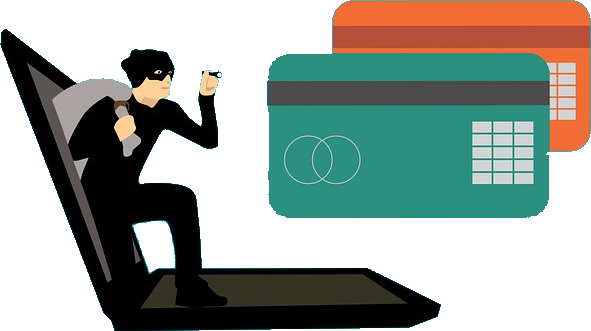
✮ You could be tricked by phishing emails or fraudulent phone calls into disclosing your password and other confidential details.
✮ Through conscious use of another person's identity (identity theft) infiltrated viruses or spyware, giving criminals access to your bank account and other personal information stored on your computer.
✮ Malware on your computer that sends information to your bank,  that is different from that which you entered. For example, the receiver of a payment is replaced. Malware could also introduce false fields like, verify your password on an otherwise genuine site, by manipulating your browser.
✮ Not updated operating system software and applications allow hackers to use security leaks to infiltrate malicious software.
| Back to start of text |
|
What you can do making online banking safer
Certainly, there are several possibilities to make online banking safer, like:
✮ Keep all software, including the operating system and the installed applications (apps) updated.
✮ Make sure you have updated antivirus/anti-spyware software and a firewall running, especially on Windows computers.
✮ Always access your online banking securely. Do not sign in to your online banking while you are using a public computer or WiFi, such as in an airport, library or coffee shop.
✮ Phishing can be avoided by not clicking on a link in an email that obviously comes from your bank often with an alarming subject. If you need to log into your online bank, use a bookmark you created in your browser or by typing your bank's address in the browser.
✮ Ensure the page of the bank is secure before entering any login information. A web page that encrypts data has a small lock ( ) next to the address bar and the address will start with https:// instead of http://.
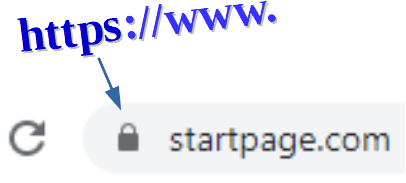 If the lock or https is missing, the data is not secured, and anything you enter could be captured and read by someone. Don’t proceed! Try entering the name of the bank manually in your browser.
✮ Never send your username, password, PIN, account or credit card information by email. Regular emails are send as plain text and they could be read by a third-party, if intercepted.
✮ Keep in mind that saving your password in your browser may come with increased risk, if your computer itself is compromised.
✮ To limit the damage, some banks allow setting limits on the amount of money for transferring or how much cash to withdraw from ATMs per day.
For mobile online banking:
✮ Equally here it is crucial to keep your smartphone’s operating system updated with the latest security patches and upgrades. Same applies for the apps on your phone.
✮ Just like on your computer, use a antivirus app on your mobile device. Consider using software from a well-known brand. Some vendors provide a free version with basic protections.
✮ In case you want to use a dedicated app provided by your bank, download the app only from official app stores such as Apple iTunes, Google Play Store and BlackBerry App World.
✮ Think carefully before removing any security controls from your mobile device by ‘jail-breaking’ or ‘rooting’ your mobile device. This will weaken the security of your device and expose you to increased risks. Some banks may not allow using their service on a mobile device, that has been jail-broken or rooted.
✮ Be carefully when clicking on links in a text message or email. Don’t respond to messages or voice mails on your phone that asks you to disclose your PIN or password. Your bank will never email you or send you a text message about this.
| Back to start of text |
|
How to react if you think you have been a fraud victim 
If you notice any, not by you authorised transactions on your bank account, contact your online bank immediately. Report suspicious activity right away.
| Back to start of text |
|
Utilize safer computer systems for online banking
Alternatively, use software for online banking that is not so commonly used. Less frequently used software is not such an interesting target for hackers.
 A suitable choice is a Linux system, that could be installed on your computer, next to the present Windows
  system. This means you have two separate operating systems on your computer, if there is enough space on the hard disk. At startup of the computer, you decide which system to start.
Another possibility is to have Linux system on an USB stick. At startup or restart of your computer you would start the Linux  system when the USB stick is plugged in. This requires that the computer is allowed to boot from an USB stick.
 To improve the security of your electronic device, you could switch to a free Domain Name Service (DNS) that will block malicious websites. The DNS maps the entered name of a website to an Internet resource, usually an IP address.
Download tips: Tips for secure online banking and protection against phishing
Services are available on Windows computers and for certain Linux systems.
| Back to start of text |
|