




The internet may lead to the feeling that one is unrecognized there. But is that indeed so?
No, because every user on the Internet leaves a digital foot print.
Several options are possible for better privacy. You can reduce collecting information about your activities by others or hide your real IP address. Fortunately, there are also secure email services or even an message service that uses a secure transmission over the Internet.
Web Browsers privacy tests
PrivacyTests.org is an open-source initiative that executes automated tests on popular web browsers to audit web browsers' privacy behaviour.
Web browser privacy tests are shown at:privacytests.org
Reduce the tracking of your activities on websites
Many websites will collect data from users to see:
- What is of special interest on the websites for users
- What is often clicked
- Who the user is
For collecting this kind of data, special Internet services are used. These are called web tracker, also known as visitor tracker or site tracker. It is a small piece of code on a website. When someone visits the website, that code is executed and the visitor's public details, like the IP address, browser, operating system and other information are analysed and stored for reporting.
A web tracker also recognizes visitors if they return to the same page twice or more. Example of a visited website with associated trackers. The ‘\’ marked trackers are blocked.
Tracking services are often provided by third parties.
The main purpose of tracking services is to make it possible to analyse the behaviour of visitors on websites.
There are some free apps that will help to reduce the tracking.
Services are offered for certain browsers on Windows-, Mac- and Linux computers.
| Back to start of text |
 |
Improve your privacy on Windows computers 
Windows also collects information about users activities. Partially this information is sent to the vendor. Often the data are used for error corrections or to improve the user experience.
Some free software will reduce the Windows, and web tracking, or tracking your location, accessing your calendar, contacts, and browsing history.
Services are available on Windows computers.
| Back to start of text |
|
Hide your IP address and location 
You can improve your privacy on the Internet with the help of a special software that will hide your real IP address.
Another option is to use the Firefox-based Tor Browser Bundle. It integrates the Tor network enhanced privacy by bouncing your communications around a distributed network of relays, operated by volunteers all around the world.
The downside is, because of using one or more Proxy-Servers, the response time of the website may take longer.
The software is free to use.
Services are available on Windows and Linux computers, as well for Android smartphones and tablets.
| Back to start of text |
|
Use the Internet anonymously with Linux Tails 
Tails (The amnesic incognito live system) is a free open source security-focused Debian-based Linux distribution aimed at preserving privacy and anonymity. All its incoming and outgoing connections are forced to go through the Tor network, and all non-anonymous connections are blocked.
The system is designed to boot directly from a DVD or USB stick. Additionally it can be used as a guest system for virtual systems. It will leave no digital footprint on the machine unless explicitly told to do so.
Tails provide the possibility to use up to date cryptographic tools to encrypt your files, emails and instant messaging.
For more information, see: tails.boum.org or wikipedia.org/wiki/Tails_operating_system
 For using Tails from a DVD or USB stick, you should allow the computer to boot from DVD or USB. This may require changing the boot order in the BIOS or UEFI system of the computer.
| Back to start of text |
|
Use a Virtual Private Network (VPN) service 
VPN services offer better protection of privacy and help against geo-blocking because it pretends to be at another location. Some VPN also improve the security by encrypting the traffic between your computer, smartphone, or tablet and the connected proxy server.
Most VPN providers offer a free service. But the free use allows only a certain amount of transferred data and limits the proxy server locations.
Services are available on Windows computers and Android smartphones and tablets.
| Back to start of text |
|
Switch to more private search engines
For those who want some more privacy when searching on the Internet will still find some other search engines that don’t collect information about the user.
Following are some more private search engines that do not collect or share personal information.
Additionally it is possible to alter the language of these search engines.
● Swisscows (swisscows.com) from Switzerland 
With Swisscows you are 100% anonymous. They don't collect your data. Swisscows maintains their own servers and do not work with a cloud or third party.
Swisscows places great importance on family-friendly Internet content.
● Duckduckgo (duckduckgo.com) from USA 
The search engine that doesn't track you and no personal information is stored. It is possible to restrict search results to the current country with just one click.
● Startpage (startpage.com) from The Netherlands 
This search engine uses Google search but provides more privacy by removing all trackers and logs. Startpage does not collect and share information from your web queries with advertisers.
● Qwant (qwant.com) from France 
The search results are presented in separate columns. They are arranged according to topics such as the web, news and social. Qwant delivers the best available results to your queries and never tries to guess who you are or what you are doing.
You can make a few modifications to the search engines by using the settings.
These more private search engines are free to use.
Wondering why the Google search is not mentioned here?
It is because Google puts a lot of energy into the algorithmic adjustment of the search results based on the available user’s data.
Services are provided for Windows-, Mac- and Linux computers as well for Android smartphones and tablets.
| Back to start of text |
|
Disable or enable Webcam and/or Microphone 
Webcams and microphones allow you to stay in touch with family and friends, or record videos for sharing on the Internet. When not in use, you may wish to disable your webcam to ensure it is not making unwanted recordings. Hackers can take over webcams and operate them for spying.
This happens without your knowledge. Same applies for microphones 
With a few clicks you can turn the webcam and the microphone on or off on your Windows computer.
| Back to start of text |
|
Delete Files permanently 
Deleting a file will not permanently erase the file. It just hides it from the operating system by marking the files’s reserved space for use again. Therefore, it is not really gone until that space is overwritten by something else.
To delete a file that contains sensitive information, use a file shredding program. This is a software that permanently delete files on your computer. The file shredder program will overwrite the content of selected files using a specified data sanitization method. This ensures it can never be undeleted with a file recovery program.
This service is offered on your Windows computer.
| Back to start of text |
|
Better privacy for Facebook users in Firefox 
The Facebook container from Mozilla is an extension for the Firefox web browser that supports you to control and isolates your web activities on Facebook.
The Facebook container works by isolating your Facebook identity into a separate container that makes it more difficult for Facebook to track your visits to other websites.
How does it work?
Using this extension will delete your Facebook cookies and log you out of Facebook.
The next time you log in to Facebook it will open a blue coloured new browser tab (the “Container”) and then you can use Facebook normally.
Which Facebook features will not function?
Because you are logged into Facebook only in the Container, embedded Facebook comments and Like buttons in tabs outside the Facebook Container will not work. This prevents Facebook from associating information about your activities on websites outside of Facebook to your Facebook identity.
What does Facebook Container not protect against?
It is important to know that this extension doesn’t prevent Facebook from handling the data that it already has, or permitted others to obtain, about you. Facebook still will have access to everything that you do while you are on facebook.com, including your Facebook comments, photo uploads, likes, any data you share with Facebook connected apps.
The Facebook Container is free to use.
Services are offered to the Firefox browser on Windows-, Mac- and Linux computers.
| Back to start of text |
|
Change over to a secure email service 
Additionally to the popular email service providers like Outlook, Yahoo, or Gmail from Google are a few secure email services available.
The free email services presented here use secure end-to-end encryption, offer additional apps and PGP (Pretty Good Privacy) support. But these free versions have certain limitations that the paid versions don’t have.
ProtonMail
ProtonMail is an open source software and the company is based in Switzerland. This means all user data is protected by strict Swiss privacy laws.
All emails are secured automatically with end-to-end encryption. This means even ProtonMail cannot decrypt and read your emails. As a result, your encrypted emails cannot be shared with third parties. ProtonMail can be used on any device without software installation. ProtonMail secure email accounts are fully compatible with other email providers. You can send and receive emails normally. The modern inbox design is optimized to help you better read, organize, and send emails.
No personal information is required to create a secure email account. By default, they do not keep any IP logs which can be linked to your anonymous email account.
A free account includes:
-
500MB storage
-
150 messages per day
-
Limited Support
More information at: protonmail.com
Tutanota
Tutanota offers email services with end-to-end encryption and 2FA (Two-factor authentication). The built-in encryption guarantees that your mailbox belongs to you: Nobody can decrypt or read your data.
Tutanota is open source and with fully featured apps for iOS, Android, a fast web client, or desktop clients for Windows, Linux and Mac OS. Additionally it comes with an encrypted calendar, free for all users. The calendar is integrated seamlessly into the secure email client and can be easily accessed on any device.
The service is free for private use and includes 1 GB of storage.
More information is presented on: tutanota.com
Mailfence
Mailfence does not use any third-party advertising or marketing trackers. They do not track your activity in the application.
Mailfence is completely free from ads. They do not send spams or solicitations. They will never commercialize their databases or share data with any third-party for targeted advertising or any other purpose.
Since emails are encrypted by your browser and decrypted by the intended receivers, no one else can read them, not even Mailfence. This is called end-to-end encryption (E2EE).
In Belgium, where Mailfence is located and their servers hosted, the law protects privacy. Only a valid Belgian court order can force them to release data.
Mailfence has some very useful extra features like a calendar, contacts, and documents storage. It is also easy to synchronize the service across all your devices. It lets you quickly import the contacts from your old email address using a CSV file.
The free plan of their secure email service includes:
-
500 MB for email storage
-
500 MB for storing documents
-
Two-factor authentication (2FA)
Read more on: mailfence.com
| Back to start of text |
|
Secure private information in online communications and documents 
Today, we are increasingly using email in private and business communications because it is free, convenient and fast. Sometimes an email may contain confidential information. Certain software can protect sensitive information when sending over the Internet.
 The letter symbol for email may suggest that sending an email works in the same way when sending a letter by regular mail.
In fact, a postcard would describe it better. 
Because the content of an ordinary email is sent as plain text over the Internet.
What is needed to secure information?
To make the email content or attachment more secure requires 2 additional things.
1. The sender and receiver have to agree on a joint password. 
The password is needed as a key to encrypt and decrypt the content. It would be a smart idea to inform the receiver about the password, using another communication channel.
2. A special tool is needed for securing the email content or a document.
Secure the content of certain files using free software
One option is to use programs for securing your information and save the encrypted text in a file. The free open source programs LibreOffice and OpenOffice support this in an easy way.
Just export documents as PDF file: File -> Export As -> Export as PDF ...
Then click on Security. In the new tab, click on Set Passwords… Now you can set the passwords for opening, and for the permission. Both can be the same.
The second password enables unrestricted access to the document.
Other programs for securing file content
Securing the file content it is also possible with following free open source programs:
● PeaZip peazip.org
PeaZip provides a unified, portable, cross-platform file manager and archive manager with compressing files in various formats.
● 7-Zip 7-zip.org
7-Zip is a utility program that helps you extract compressed files and create your own compressed files in several formats.
Both programs also provide the possibility to encrypt files.
Compressing large files or many pictures, is useful when sending them over the Internet. On top of that, the inbox of the receivers email account is not filled up that much.
Free secure Email Alternative 
Signal is in fact, not an email service, but it is a free service for delivering messages with end-to-end encryption over the internet. As an Open Source project developed by the Signal Foundation, it is free for anyone. It supports 51 languages. There are no ads, no affiliate marketers, no creepy tracking. Signal allows you to choose different disappearing message intervals for each conversation.
Additionally you can make crystal-clear voice and video calls to other people using Signal. Signal messages and calls are always end-to-end encrypted and engineered to keep your communication safe.
Signal is available for Android phone and iPhones. There are also desktop versions for Windows, Mac, or Debian based Linux computers available.
Detailed information at: signal.org and wikipedia.org/wiki/Signal_(software)
| Back to start of text |
|
Incognito (Private) mode in browsers 
Web browsers offer a feature called Incognito, Privacy mode or Private browsing. This allows you to browse the web without storing data about your activities on the used computer.
What is the advantage of using this mode?
- It disables the storing of the browsing history data (websites you have visited)
- It will not store anything to the browser cache
- No data in cookies are stored
- Some browsers allow to stop, or enable the execution of extensions
This privacy protection is only within the browser. It may leave traces on the hard drive and memory of the device.
Incognito mode in the Chrome browser
Start the incognito mode by clicking on the Setting’s icon in the upper right corner. Then select New incognito window and a new window will open.
Private mode in the Opera browser
Start Private mode by clicking on the Opera icon in the upper left corner.
Then select New private window. A new window will appear.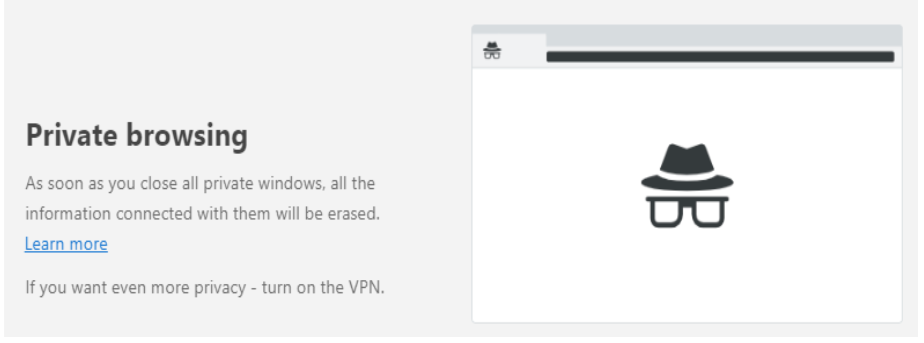
Private mode in the Firefox browser
Start private mode by clicking on the Setting’s icon in the upper right corner. Then select New Private Window. 
| Back to beginning |
|