



The offered services enable to use your photos and videos from iPhones, Android phones and tablets on other devices. Or transfer the call data from one Android phone to another. Several Linux systems are introduced. The installation on your computer and a brief introduction is offered.
 |
Copy your photos and videos from an Android phone, tablet, or iPhone
You want to modify or use the photos and videos from your Android phone, tablet, or iPhone somewhere else?
If so, it is possible to copy these to a computer, on a USB stick or DVD where you can show or edit the photos and videos.
Photos and partial videos from following apps are possible to copy:
- Phone camera
- WhatsApp (in case photos and videos are stored on the phone)
Necessary item: A device for storing the photos, like a computer, USB stick or DVD is needed.
This service is offered for Android phones, tablets, or iPhones.
| Back to start of text |
|
Transfer your data from one Android phone to another 
You want to change from an Android mobile phone to another, but want to keep your call data, photos and videos?
Then take your call related data to the new Android phone.
Following call data can be copied:
- Contacts
- SMS
- Call logs
- Calendar data from the standard Android calendar
- In addition, it is possible to transfer your photos and videos, which were made with the mobile-phone camera
This requires installing an app on the Android mobile phones. The app can also be used to back up the call related data to a SD card.
In case you want to transfer data from an Android phone or iPhone to a Samsung Galaxy phone, then a specific software from Samsung can be used. This program supports certain Android phones from various manufacturers from where the data can be transferred.
More information is provided on: samsung.com/us/support/owners/app/smart-switch.
This service is available for Android smartphones.
| Back to start of text |
|
Stay in touch with your family and friends by making video calls over the Internet

An easy way to have contact with family members and friends is, to make video calls over the Internet. You can see and talk to people, using your computer or a smartphone.
For this purpose free programs are available, that often run on different platforms. Unfortunately, it is not possible to communicate with people who use another program. Before you start to make free video calls, it might be useful to ask the person you want to talk to, which software he uses.
Popular apps are:
- Skype
- Viber
- FaceTime
- Signal
- WhatsApp
- Facebook Messenger
- Telegram
This is a convenient way for people who can’t or don’t want to travel, but still wish to have contact with others.
Check the associated services.
| Back to start of text |
|
Introduction and installation of free Linux systems 
Description of the main differences between Linux systems and Windows. The Linux systems already include some useful applications. They also offer the possibility to get easily free additional software.
Certain Linux versions are supported for 5 years. With the help of a specific program you can run particular Windows programs in Linux.
Installation of following Linux distributions on a computer
It is possible to install a Linux system as the only operating system on the computer, or along with an already installed Windows system. The last option is possible if there is enough space on the hard disk drive is left. A free storage capacity of 25 - 45 GB should be sufficient for many Linux systems.
● Linux Mint is a modern, elegant and comfortable operating system which is both powerful and easy to use. This makes it a beginner-friendly system.
It provides full multimedia support and also has a great community that offers some support. 
Customized Linux Mint desktop
You can choose between several versions with different desktops. Because, it is based on Debian and Ubuntu, it provides about 30,000 packages of programs.
● Zorin OS is an alternative to Windows and Mac OS designed to make your computer faster, more powerful, secure and privacy respecting. It is designed to be easy to use. It is designed to be easy to use.
Customized desktop of Zorin free version
Zorin OS offers free and paid versions.
● Ubuntu is an open source software operating system for desktop PCs, laptops, and other usage. It offers different kind of support options, either from users or developers. 
Default Ubuntu desktop
● MX Linux is a mid-weight operating system, designed to combine an elegant and efficient desktop with simple configuration, high stability and solid performance.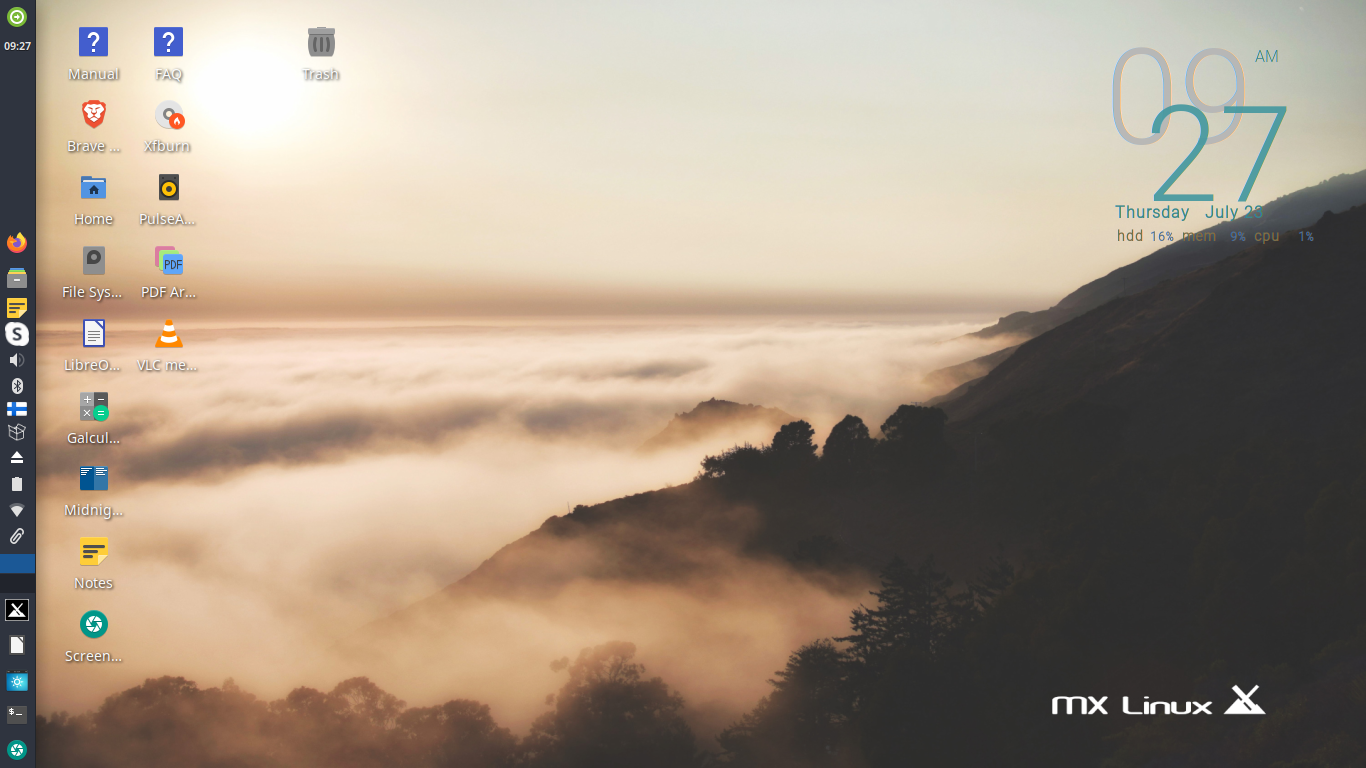
Customized MX Linux desktop
It offers many possibilities to adapt the desktop outlook. In addition, it provides many free applications to convenient install and a set of MX tools.
MX Linux is a cooperative venture between the antiX and former MEPIS communities. It includes tools to make common tasks easier. Several versions with different desktops are available.
This Linux system is intended for more advanced users.
Installation of additional free software
Linux systems provide many free programs to install. A software manager with a list of available software categories is often included. This offers an easy way to find and install more applications.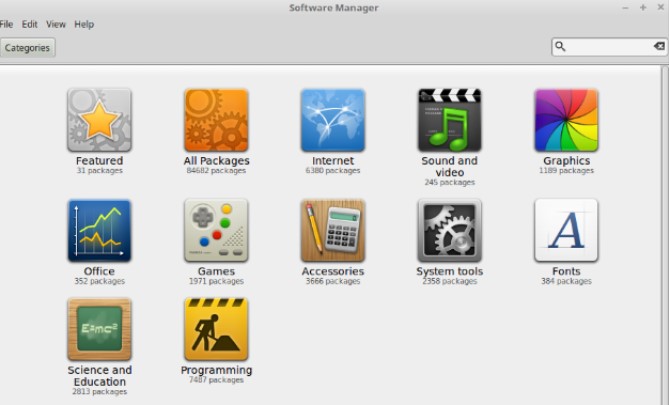
Software Manager in Linux Mint
Give your older computer a second chance by using a lightweight Linux system 
Some specific Linux systems are able to run on older computers, because they are lightweight versions, that don’t require much system resources. Quite often they use a simpler desktop as user interface.
Typically, the minimum system requirements are:
• Min.1 GB RAM
• About 20 GB of free disk space
• At least Pentium, Celeron or dual-core processor
 As a rule of thumb, the computer should not be more than 15 years old.
Check the provided services.
| Back to start of text |
|